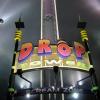
July 10, 200719 yr 5/26/07= Sorry im just now posting this. I would show my pictures but when i saved them to my pictures, i accidently deleted them. We left home around 7:30am, we arrived at the park around 9:30am. We noticed signs saying "Firehawk may open late today with limited capacity. As soon as we go there we noticed the line was incredibly long so we rode Delirium, then FoF. We made our way to The Beast, there was a short line on everything since everyone was at Firehawk. As we where going up the first lift hill i noticed that Firehawk was going up the hill. Our train got stuck on the top of the lift for about 5 minutes. Once we got off we rushed to Firehawk. I waited in line forever, my sister and her boyfriend decided to leave and they went to Nick Universe. Every 5 minutes the ride would break down, then open back up so about 3 hours later i was about to enter the Q-Line. After 2 hours waiting in the Queue we got to the station. Firehawk was awesome. I got my ticket for my free tee-shirts, i was rider #1620. After that we rode Vortex a few times, Drop Zone, Top Gun, Eiffel Tower, Adventure Express, And Viking Fury. It was a fun trip to KI. [by the way i wrote the wrong month], it should say 5/26/07. Sorry.
July 10, 200719 yr Didn't you mean 5/26? Since you got the free tshirt for being a first rider, you couldn't mean 6/26, could you?
July 10, 200719 yr Author Didn't you mean 5/26? Since you got the free tshirt for being a first rider, you couldn't mean 6/26, could you? Yes, i meant to write 5/26/07, i got confused with the months. Thanks for pointing it out. =]




Create an account or sign in to comment