June 14, 201016 yr ok in another forum they were talking about Wikipedia so i was looking about all the rides there on the site and saw "The ride also offers guests 3D glasses(for $1 a pair) to enhance the ride experience." so do you have to pay 1 dollar to have a pair of 2 cent glasses?
June 14, 201016 yr No - you can politely say "no thanks" to the associate and ride the ride without them.
June 14, 201016 yr Author i was asking if you had to pay a dollar to use them i figured that you dont have to
June 14, 201016 yr I have a great idea....how about buy them now and when you come back bring those glasses you bought earlier and use them....
June 14, 201016 yr Author or i could rudly say " thats a huge rip off " and take 100 glasses from his hand and keep them ... ha ha jk i wouldnt do that
June 14, 201016 yr Author well i posted the first thing then saw someone else write so my second post was talking about the one before my first so sorry if that offended you
June 14, 201016 yr It does not offend me at all....no problem really just can be a little annoying but remember there is a edit button next to the reply button on the bottom right hand side of your post.
June 14, 201016 yr Author i never use tat just because i never remember to use it... its soooooooo small
June 14, 201016 yr No - you can politely say "no thanks" to the associate and ride the ride without them. Look, I was misleading, Sorry, I meant this- To buy a pair of 3d glasses you have to pay $1
June 14, 201016 yr Author but they're probably only 10 cents to make so they shold let people barrow them or buy them
June 14, 201016 yr I don't see the big deal with paying one dollar, it's not like they will dissolve as soon as you step off the ride. I'm sure they pay for the staffing to stand there handing them out, you don't have to worry about paying for a new washing machine, washing liquid, and staff to wash the glasses.
June 14, 201016 yr No - you can politely say "no thanks" to the associate and ride the ride without them. Look, I was misleading, Sorry, I meant this- To buy a pair of 3d glasses you have to pay $1 No worries - I was responding to the original post, not yours. We replied at basically the same time.
June 14, 201016 yr I would pay the buck even if they fell apart after the ride, provided they really did enhance the ride experience.
June 14, 201016 yr I'd still be willing to bet if they start selling 3D glasses at the Haunt for CarnEVIL (or whatever 3D maze they have if they ever decide to finally put the former out of its misery) they're gonna raise the price up to two or even three dollars.
June 14, 201016 yr No - you can politely say "no thanks" to the associate and ride the ride without them. Look, I was misleading, Sorry, I meant this- To buy a pair of 3d glasses you have to pay $1 No worries - I was responding to the original post, not yours. We replied at basically the same time. Oh, Okay.
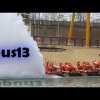
June 27, 201016 yr I was at the park yesterday and today and rode Boo Blasters with my son. Both days the feature at the end up the ride with the skeleton face in the steam was not there. Anyone know of it is just broken or if they changed the ride?
June 27, 201016 yr Must be broken, cause it wasn't working last time I was there (June14th) but was the time before (June 3rd). Shame, because it was the coolest part of the ride. We bought 3 pair of the glasses and kept them to use on future rides. The response about them "not melting" made me laugh til I was in tears, thanks for that





Create an account or sign in to comment