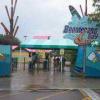
March 18, 201214 yr This is a question that has made me think since the announcement Soak City which are what will happen to the scenery of Boomerang Bay, and what will happen to all the signs of the slides/attractions?
March 18, 201214 yr With all of the attractions being renamed, it is assumed that all of the previous Australian theming and signage will be removed. Hopefully the foliage that was planted during the first remodel from WaterWorks to Boomerang Bay remains, and even some more trees/shrubbery are planted. It is also assumed that all of the previous safety spiels will be redone to accommodate the change.
March 18, 201214 yr Author What I meant was since everything will be taken down, will they sell, trash, or store the scenery/signage?
March 18, 201214 yr What I meant was since everything will be taken down, will they sell, trash, or store the scenery/signage? Yes. Terp, in your heart you knew he would.
March 19, 201214 yr All the alternatives. Plus more: they could raffle some off to enthusiasts, donate to museums, move to other parks, etc. Terp, known for answering multiple alternative queries affirmatively.
March 19, 201214 yr Author Well if they are giving some away i am definately interested in Boomerang Bay items, I would take anything. Thanks my good lad terpy!
March 19, 201214 yr Soitenly. Terp, who wasn't a lad even when Kings Island first flung open its gates!





Create an account or sign in to comment