August 15, 201214 yr Ki fanatic 37. That would be a long path Yes it would. But no different than walking through OktoberFest and Coney Mall. But it wouldn't happen! That's just what I want.
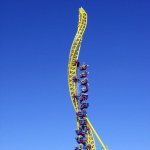
August 26, 201214 yr I had a very weird dream last night about a new area. It was called "NatiLand." It was themed to everything that Cincinnati is known for. There were two S&S space shot towers that looked like the smoke stacks at Great American Ballpark. The line was themed to look like a locker room/club house that one would find underneath the stadium. There was the tilt a whirl type ride that ThrillBiscut made in the photoshop topic. The ride had Bengal helmets as the thing you sit in. There was a Maverick clone called "The Big Red Machine." The supports that hold up the lift hill were shaped like baseball bats. The line took you through a building full of Reds memorabilia. For those of you who have been on Maverick you would have noticed the trains are named after tv characters from the show Maverick. Well, the trains on The Big Red Machine were Rose, Bench, Morgan, etc... Right next to the Big Red Machine was Pete's arcade. Needless to say it was full of betting style games. (I found this hilarious) The Animal Safari was back with a monorail that was sponsored by the Cincinnati Zoo. To enter the area you had to walk over a mini Daniel Carter Beard bridge that crossed a river. That is all I can remember. It was pretty neat.
August 26, 201214 yr Ki fanatic 37. That would be a long path That would be even longer than the path from Splashin' Safari to Pilgrim's Plunge at Holiday World!





Create an account or sign in to comment