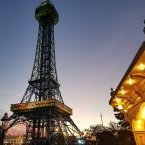
June 5, 201214 yr Today was a pretty fun day at Kings Island. We got there at 11:45 and we wanted to ride flight deck but there was a line .So we headed to The Beast and it was awesome in the front but i still like the back better.We then headed to WindSeeker(my first time)and it was scarier than i thought it was.We then went to starbucks my bro spilt his coffee .I went to tower drinks afterwords and bought a souvenier cup.Its overall a good deal.We then headed skyline on international street.Its the worst skyline i have EVER tasted it had statle buns .We then went to Vortex.I rode in the back seat and it was INSANE.I had so much pull on my legs and body.It was a good ride still though.We then headed to Firehawk.It was a 2 1/2 hour wait because somebody lost an item .It was overall a very good ride and it was exciting.I rode Blue racer and it was Awesome!! I rode it with my hands up the whole time!!We then refilled my souvenir cup and i had water for free .We then headed to Adventure Express and i rode it with my souvenir cup and was really jerky and boring .I drank my souvenir cup on the way to the station and that look the ride op gave me was priceless .We then left.And overall good day even with Diamondback and Invertigo closed im going back this weekend*thumbs up*.
June 6, 201214 yr Thanks for sharing your day! Even though a few big rides were down, you can still have fun at the park!




Create an account or sign in to comment