

Skip to content
View in the app

A better way to browse. Learn more.

Kings Island Central Forums

A full-screen app on your home screen with push notifications, badges and more.

To install this app on iOS and iPadOS
  1. Tap the Share icon in Safari
  2. Scroll the menu and tap Add to Home Screen.
  3. Tap Add in the top-right corner.
To install this app on Android
  1. Tap the 3-dot menu (⋮) in the top-right corner of the browser.
  2. Tap Add to Home screen or Install app.
  3. Confirm by tapping Install.

New Thunder Run train feel?
Featured Replies

Hey guys, I havent gotten to Kentucky Kingdom yet this year and would just look to know if the new trains for Thunder Run are comfortable/feel different then the old ones for those of you who have gone to visit the park this year. I rode Thunder Run several times last year and look forward to riding this year with the new trains. Any information or details on the ride experience with the new trains is greatly appreciated! Thanks, MaestroJr 

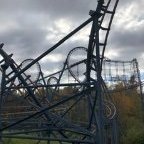
New trains look very nice by the way! Image courtesy of Kentucky Kingdom's twitter page

C8BaXGhVAAEr2xb_zps5hfkl4vk[1].jpg


Create an account or sign in to comment

Recently Browsing 0

  • No registered users viewing this page.

Background Picker

Account

Navigation

Search

Search

Configure browser push notifications

Chrome (Android)
  1. Tap the lock icon next to the address bar.
  2. Tap Permissions → Notifications.
  3. Adjust your preference.
Chrome (Desktop)
  1. Click the padlock icon in the address bar.
  2. Select Site settings.
  3. Find Notifications and adjust your preference.