gfxluvr
Members
-
Joined
-
Last visited
Everything posted by gfxluvr
-
Yep, I overheard that being said to someone else today.
-
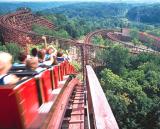
Let me tell you, seeing Diamondback in person for the first time today, it looks quite amazing, and a bit scary at the same time!
-
Congrats! I worked there for a day and it was awesome to see all of the little kids so excited! If everything is the same as last year I think you will also work at the little bumper cars and the little cars that go around the track next to Fairly Odd Coaster. Have fun! Sweet. I am too excited, gonna be an awesome summer.
-
Woooot =D I got the job, I will be working the Fairly Odd Coaster =D
-
Good luck! I will be leaving in about an hour since my interview is at 11. Will report back, with hopefully good news.
-
Signed up to say hi, and thank everyone for the great tips! I filled out an application way back towards the beginning of December, and was pretty excited to see where it went from there. My first choice was Ride Associate, and that is what my interview this morning will be for! I have been going to Kings Island ever since I can remember, and working there would be an amazing thing. I will come back and post tonight wether I get the job or not, but I am pretty confident, but at the same time a bit nervous. Once again, thanks for the great tips everyone! I hope to see you on some of your favorite rides this upcoming season.