January 6, 200818 yr Frog Hoppers have the same evil little bounce right before/as they top out that first generation INTAMIN drop rides have. Gets me in the pit of my stomach every time. But the old drop rides do it once. The Frog Hoppers do it several times.
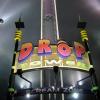
January 6, 200818 yr I love the Frog Hopper rides, mainly because they bounce more than once, and they do it so suddenly. Sure, Drop Zone is fun, but It's one time only. DZ is all about atnicipation, which gets boring after a while.
January 8, 200818 yr Power Tower is at Cedar Point.... Tower of Terror is at Disney. Whole different animal....well, you know what I mean. . . And Tower of Terror is in a class all by itself...better than ANY other drop ride, bar none. In my opinion, anyway!
January 10, 200818 yr That's Demon Drop... but with a slight extension So no, it's not a real pic. But I'm glad my Paint job looks that real
January 10, 200818 yr FTW! I couldnt emagine the lenght of track that would come after you lay on your back. Would be cool though if you could place a loop after the drop.





Join the conversation
You can post now and register later. If you have an account, sign in now to post with your account.
Note: Your post will require moderator approval before it will be visible.