

Skip to content
View in the app

A better way to browse. Learn more.

Kings Island Central Forums

A full-screen app on your home screen with push notifications, badges and more.

To install this app on iOS and iPadOS
  1. Tap the Share icon in Safari
  2. Scroll the menu and tap Add to Home Screen.
  3. Tap Add in the top-right corner.
To install this app on Android
  1. Tap the 3-dot menu (⋮) in the top-right corner of the browser.
  2. Tap Add to Home screen or Install app.
  3. Confirm by tapping Install.

11 Antique Roller Coasters You Can Still Ride
Featured Replies

The Beast made this list although I don't really consider it as "Antique".  The one I like on the list because of it's name is #8 in Farmington, UT . . . it is just called "Roller Coaster" . . . kind of gave me a chuckle.  First time I ever heard of it, but looks fun being on the side of a mountain.  Maybe just good for the views.  IDK


http://mentalfloss.com/article/66938/11-antique-roller-coasters-you-can-still-ride

  • Author

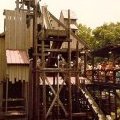
I looked up more information about the "Roller Coaster" at Lagoon in Utah.  I guess it just sits at the bottom of the mountain.  But this is a John Miller designed classic woodie built in 1921.  It really could use a new paint job.

There are at least a couple of us here that have ridden it many, many times.

As for a paint job, be careful what you wish for. That can lead a direction you do not want.

They used to paint it white almost every season but stopped doing so because they replace a section's lumber once a year and wanted it to have its classic look back.

Roller Coaster's original color was brown.


38MIiRg.jpg

Lagoon seems very proud of the ride so I think it's safe under its current management.

Oh, I almost forgot. It's a great ride.

Create an account or sign in to comment

Recently Browsing 0

  • No registered users viewing this page.

Background Picker

Account

Navigation

Search

Search

Configure browser push notifications

Chrome (Android)
  1. Tap the lock icon next to the address bar.
  2. Tap Permissions → Notifications.
  3. Adjust your preference.
Chrome (Desktop)
  1. Click the padlock icon in the address bar.
  2. Select Site settings.
  3. Find Notifications and adjust your preference.