

Skip to content
View in the app

A better way to browse. Learn more.

Kings Island Central Forums

A full-screen app on your home screen with push notifications, badges and more.

To install this app on iOS and iPadOS
  1. Tap the Share icon in Safari
  2. Scroll the menu and tap Add to Home Screen.
  3. Tap Add in the top-right corner.
To install this app on Android
  1. Tap the 3-dot menu (⋮) in the top-right corner of the browser.
  2. Tap Add to Home screen or Install app.
  3. Confirm by tapping Install.

Where are they all going to go?
Featured Replies

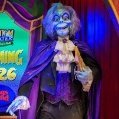
Since this year there are no shows in the FX theatre during Fearfest where are they goning to put all of the PT figures.( I loved seeing some of them up and running last year!)

We don't know for sure about FX Theatre quite yet. A LOT of Fearfest is still up in the air.

Well, I was at the park today. FearFest preparations are in full swing. But they still have a LOT to get done between now and opening night on September 30th (or at least it appears that way from the midways anyway).

Create an account or sign in to comment

Recently Browsing 0

  • No registered users viewing this page.

Background Picker

Account

Navigation

Search

Search

Configure browser push notifications

Chrome (Android)
  1. Tap the lock icon next to the address bar.
  2. Tap Permissions → Notifications.
  3. Adjust your preference.
Chrome (Desktop)
  1. Click the padlock icon in the address bar.
  2. Select Site settings.
  3. Find Notifications and adjust your preference.