August 22, 201510 yr That's good oil, mate! Good onya. Le'me give 'er a right fix and she'll be apples! (Could I be any more Google-Australian?)
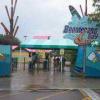
August 22, 201510 yr A ton of remnants from Boomerang Bay's theming still exist in the park. The main one I notice is the murals of animals on the pathway leading to Soak City / Picnic Grove. Sent from my iPhone using Tapatalk
August 22, 201510 yr I absolutely love that they had to clarify "Blokes" and "Sheilas" with "Mens' Restroom" and "Womens' Restroom".
August 23, 201510 yr Even though I'm not a Boomerang Bay enthusiast as BB1 is, I'm loving these photos; especially the detailed theming! I went to Carowinds' water park before it became Boomerang Bay (either during my 2001 trip or my 2003 trip) and I remember being so nervous to ride Pipeline Peak, but it ended up being really fun. I'm also loving that last picture of all the coasters in the background. I've got to get there to ride Nighthawk soon...
August 23, 201510 yr Darn, I was just there last week. Unfortunately I don't have any photos of the water park cached away that I could show you...
August 23, 201510 yr Or...(signal lost). Note that Order of the Arrow members are selected by their peers....
August 23, 201510 yr Or...(signal lost). Note that Order of the Arrow members are selected by their peers.... Who are not members of the Order.Sent from my SAMSUNG-SM-N900A using Tapatalk





Create an account or sign in to comment