June 17, 20242 yr Does anybody know why they installed new cars on Wild Mouse? Last years was rounded and you kinda slid around, the new ones, you sit in a straight line and are very secured, not as fun
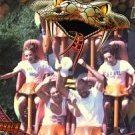
June 17, 20242 yr 3 hours ago, LuvingKI said: Last years was rounded and you kinda slid around I believe you are mistaken. Below are a few pictures from 2023 showing a flat back, and even a small divider rib between each seat. Given the individual lap bars, allowing riders to slide around would be decidedly bad.
June 18, 20242 yr 10 hours ago, LuvingKI said: Does anybody know why they installed new cars on Wild Mouse? Last years was rounded and you kinda slid around, the new ones, you sit in a straight line and are very secured, not as fun Are you talking about the former Wild Cat? If so, completely different ride, manufacturer and ride car.
June 18, 20242 yr Author 7 hours ago, DispatchMaster said: I believe you are mistaken. Below are a few pictures from 2023 showing a flat back, and even a small divider rib between each seat. Given the individual lap bars, allowing riders to slide around would be decidedly bad. Then I am mistaken, my wife and I both thought they was different last year...





Create an account or sign in to comment