





BeeastFarmer
Members
-
Joined
-
Last visited
Everything posted by BeeastFarmer
-
I have stayed at the Super8 three times. The first time was good, as expected for a Super8. That was in 2009. I stayed there last year and for opening day this year. I'm just looking for a place to stay, nothing fancy and it serves that purpose. The mattress is terrible, but most anything would do after walking around the park all day. The staff is friendly, the breakfast is ok. I prefer Comfort Inn and Holiday Inn Express, but those can be pricey on a nurse's budget during the summer travel season. However, I may check into (get it?) the Shaker Inn sometime.
-
I appreciate this! I was going to wait until next year when TT was back in operation. But now I have my $59.95 plus tax Kroger pass. I do really want the park to work though.
-
Thanks for your report! I echo the others posting here,you have my sympathies. Hospice is a wonderful organization-as a RN, I have worked with our local chapter quite a bit. I have also had several family members utilize the service and know first hand the benefits they offer to both to the patient and the loved ones. If you ever want to hang out in the park, let me know. It is a great way to escape reality for a while.
-
I will let you know when I make it to the Kingdom. I am fluffier than you, but I can still fit in The Racer and Woodstock Express, so hopefully LR will not be an issue.
-
What would it take to make Kentucky Kingdom work? The competition is fierce. I lived in Kentucky until 1996 and never went before I moved. I went once when I moved back here (I moved back in '07, went to KK in 2009) and was not impressed. I chalked that up to SIX. I have to admit that I do not care for SIX after having this one experience, so I was hoping that the "new" KK would be an improvement. I know it's very complicated in that it lies on the fair board's property. Didn't SIX own about 20 acres? What happened to this real estate? I really want this park to work. KI will always have my business, but it would be nice to have a park to just drive to for the day, or stay in the Ville and do both it and HW.
-
I'm no so impressed with Raising Canes. Food is ok, service is ok, but nothing to make me WANT to eat there. If only we had In-N-Out Burger locations here...Maybe they will come to Kentucky Kingdom!
-
jsus--I hope I didn't offer advice that was unsought. I want people, including you, to suceed. I'm sure you will. Blessings!
-
Great advice! When discussing specific work related activities (or school, depending on your situation), try to follow the STAR method: Situation, Task, Action, Results. For example, if the interviewer states, "Tell me about how you handle conflict with a customer in your current job." Respond with a specific situation, ("A customer was upset because he ordered his 3-way at Skyline without onions, but got extra onions"). Then explain what your task was with this customer: ("I saw that this was an opportunity to assist a customer become more loyal to Kings Island and Skyline.) Next, respond with what specific actions you took: (I listened to the customer's concerns, allowed him to vent, saw that he got his order corrected, and offered him a free cheese coney for his trouble.") Finally, talk about the results: ("He was so happy that his issue was resolved quickly that he stated he hopes I am always here each time he visits Skyline Chili on IS in KI. I also got a recognized by Chef Nate because he stopped by Guest Services and shared his story.") I can't tell you how many people I have interviewed and asked for specific situations and instead I get philosophies etc. Follow the STAR!
-
Imagine the product placement opportunities: "Big K, the official soft drink of Kings Dominion!" or "Potato Works, topped with Nice-N-Cheesy, only at Kings Dominion!" They could have had live shows with the Scissor Ladies. I think they would have had problems integrating the Cost Cutter brand, however.
-
Makes me feel better about living out west during the Paramount years. See also, decision to place The Italian Stunt Job coaster in the horrible location its in, and TR:TR in Rivertown. Never rode TR:TR or The Crypt, but it and BLSC are terribly misplaced. But then again, Cedar Fair has either directed, or allowed, the removal of the Coney Mall sign. (sigh) edited to remove text of a previous poster.
-
I don't see the logic of advertising $79.95 season passes at Kroger, yet charging $59.95. I mean, yes I did buy it at this price and I am not complaining, but if you are trying to push sales, why advertise it for more than the actual price? I wonder how much of a take Kroger gets? And finally, this fascinates me....I had read that Kings Dominion was a joint venture between Taft Broadcasting and Kroger. Neither is the same company anymore, but now Kroger is selling competitor passes againa former partner (sort of!) Did Kroger ever have an financial interest in Kings Island as well?
-
Thanks, Silver2005! This gives me a greater insight. I have never been emotionally attached to the coaster, but I have to admit the Banshee teaser did make me a little sad for it.
-
Who was the original contractor? Why were they bumped? Too bad they did not do the stellar job they did when they acted as their own contractor/design firm for The Beast....
-
I never got to ride Son of Beast. I've heard bits and pieces of the story: The contractors used cheap, inferior wood; the former owner of KI pressured the contractor with deadlines and tight budgets and so on. It certainly was a ride to behold! I would love to see another wooden coaster that breaks records at Kings Island, but I think the next "big" coaster will be steel. One ride, besides Les Taxis, I would like to see returh is Kenton's Cove Keelboat Canal. While they are at it, put the water back around The Beast. (dreamer, aren't I?)
-
Well, the consumer saga continues...but it benefited me. As I said earlier, I was going to wait until 2016 when TT is supposed to reopen. According to KK's website, the presesaon season pass sale is over, but you can still get season passes for $79.95 at Louisville area Kroger stores (Lexington area Kroger stores, too!) So when I went Krogering a little while ago, I looked for the passes near the gift care kiosk. None to be found. I went to customer service, he said, oh yeah, take this laminated sheet to the cashier. Instead of $79.95, the voucher rang up for $59.95. Now I have to go online to process my pass, so we will see. Louisville is just a little over an hour away, so I am sure I will use it some this season. Won't keep me from KI, but it will give me a chance to ride Thunder Run and try out the 2014 Lightning Run.
-
I was thinking about buying a pass for KK next year, since they are supposed to re-open Twisted Twins. Sounds like maybe I should do that this year, in order to get some rides in on Thunder Run and Lightning Run? KK will never be anything of . the magnitude of KI, but I do want it to suceed. But it sounds like it is destined for failure. Which really sucks, because I WANTED it to suceed after what happened with the previous operator.
-
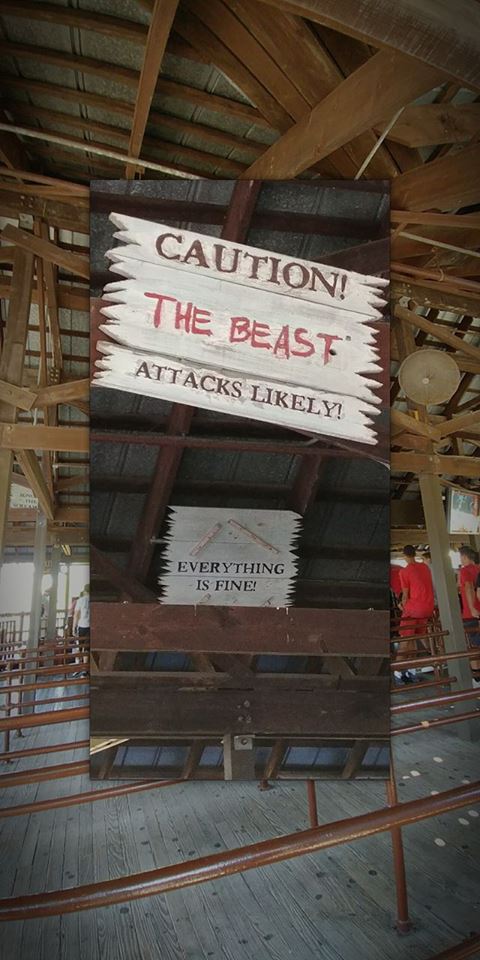
The Coney Mall entrance sign and pillars are gone. Tower Gardens is still there, but reduced in size. The Beast only has the vocal warnings on the first lift hill, and now that is repeated, proceeded by "Welcome to The Beast!" The small waterfall near the entrance to the KIMVR was not on. The KIMVR speakers are not working properly for the music, but are for the Emcee. This was my first preview event and opening day, but I thought it was cool that they opened the park Saturday morning at the front gate with the National Anthem, had a rope blocking Rivertown past the Diamondback and made it an event to actually open the park for the morning. Friday night's fireworks show was preceded by an announcement that it was a guests' birthday, and she was allowed to count down to the fireworks. Lastly, there are two new rides in Planet Snoopy, some renovations on I-Street, and food service is slow.
-
Where did they have $1.00 sodas? I had to pay $4.00 for my Coke at the diner outlet by SRR.
-
I went today and had a great time! Diamondback went down once just as I was coming up to the entrance to the que line. Was fixed fairly quickly. The maintenance man who rode alone looked like he had a blast! The second time I rode, it went down for about 30 minutes while I was in line. Was down about 30 minutes this time, but he fixed it and had a great time on the train again. The Beast went down while I was in line, but I waited it out. Then, they had to pause operations for fireworks, so another wait. The waits were no big deal. I was able to talk to several enthusiasts. Lastly, on the way out, the Blue Ice Cream stand was closed, but an employee told myself and two other guys he would get cones if he had the exact cash needed. ($3.00). I only had a $10.00 bill and one of the other guys bought me an ice cream cone! I hope I run into him again, I'd like to return the favor!
-
The Beast did not disappoint today. Changes I noticed: First lift hill, no music, but the "announcment" plays three times and now includes: "Welcome to The Beast!" before the "Remain seated at all times. Please keep hands and legs inside the car at all times." On the second lift hill, music is included, and I think I heard a faint growl, reminiscent of the "old" The Beast music. Ride ops were great, crowd was great and lines went through very quickly.
-
I rode The Beast many times as a younger person. But I did not go to KI at all from 1995-2006. Earlier in life, I did not appreciate the nuances of the ride. So in the many times I have ridden since 2006, there has always been music and the annoying, but at times endearing, warnings to "remain seated at all times, please keep hands and legs inside the car at all times" is part of my The Beast internalized experience. I kind of miss it when it is not on. But I do so much enjoy the "music" The Beast makes on his own.
-
My two cents: Put it in The Crypt building. Incorporate theming from Kings Island and Miami Valley Railroad, The Beast, and the original Bat, all themed around Rivertown. Make it its' own ride, but incorporate history. Or they could tear down The Crypt's building and rebuilt Kenton's Cove Keelboat Canal. Then put the dark ride in The Action Theater and tie Banshee into it.
-
I think my best The Beast experience was during Haunt in 2010. The park closed at 0100, my friend and I went to the que line just a few minutes before that. We rode, and the last train of the night had 3 or 4 folks on it and the ride ops let us ride again. When we returned to the station, someone had taken my friends backpack from the stowage box. The ride op gave him a description, so he took off. I walked from The Beast to the front gate alone...in the fog...with the various Haunt music playing, while they were cycling Diamondback (strange to hear with no screams) and various other attractions. Just a very surreal experience. My friend did find the people who had his backpack, who claimed it was a "mistake."
-
I had the season long plan last year, and was quite satisfied with it. I really only had two issues, and they were: 1. Sometimes the cashiers would charge for a drink refill and sometimes they didn't. Most of the meals were "combos" so if you were not on the dining plan, the drink was included. The cashiers appreciated the honesty, but I did not like to appear to tell them how to do their job. 2. Panda Express inside Festhaus was included, then taken away, then added, then taken away again. I like to eat non-chain foods while at KI, but there is no Panda Express near me, and I liked eating there when I lived in Phoenix.
-
Having lived in Idaho but having grown up in Kentucky, imagine my joy when I first saw a Kroger brand in a Smiths Food and Drug Store (Smiths had been acquired by Fred Meyer, which had been acquired by Kroger). There was also a very nice Fred Meyer store in town, and now, having come full circle, I enjoy the nostalgia of Fred Meyer when I visit a Kroger Marketplace...although the KroMar is much smaller and more pared down than FM was.
